
Memos are MAXQDA's built-in note-taking system. You can attach memos to nearly any project element (e.g., a passage in a document, a moment in a video, a code, or an entire document). Use them to capture observations, develop interpretations, or document methodological decisions.
MAXQDA lets you create memos in different places depending on what you want to annotate. Document memos, in-document memos, and code memos are the most frequently used ones, but the same basic principles apply to all memo types.
Memos and your data
Memos are your working text. They provide a flexible space to revise, expand, and reorganize your thoughts throughout the research process.
Their flexibility makes them essential in many qualitative approaches, where they support ongoing interpretation, reflexive engagement, and idea development. Their specific roles vary by methodology. For example, memo writing can help articulate theoretical insights, document methodological decisions, and trace category development. In other approaches, memos may function as reflexive notes, analytical aids, or part of an audit trail, while still providing space for structured reflection.
MAXQDA’s memo system supports a wide range of approaches, allowing you to record, revise, and connect insights as your analysis develops.
Types of memos in MAXQDA
MAXQDA offers several memo types, each designed for a different attachment point in your project. Choosing the right type means your notes stay close to the material they relate to, making it easier to move between your thinking and your data. Memos of all types can also be visually classified with labels.
- Project memo: A single project-wide memo for high-level notes about your research as a whole.
- Document memos: Notes about a document as a whole, such as case summaries or contextual information.
- Document group memos: Notes about a group of documents in your project structure.
- In-document memos: Annotations attached to a specific passage in a text or table document, or to a region in an image document.
- In-media memos: Annotations attached to a specific moment in an audio or video file.
- Code System memo: A single memo for high-level notes on your code list..
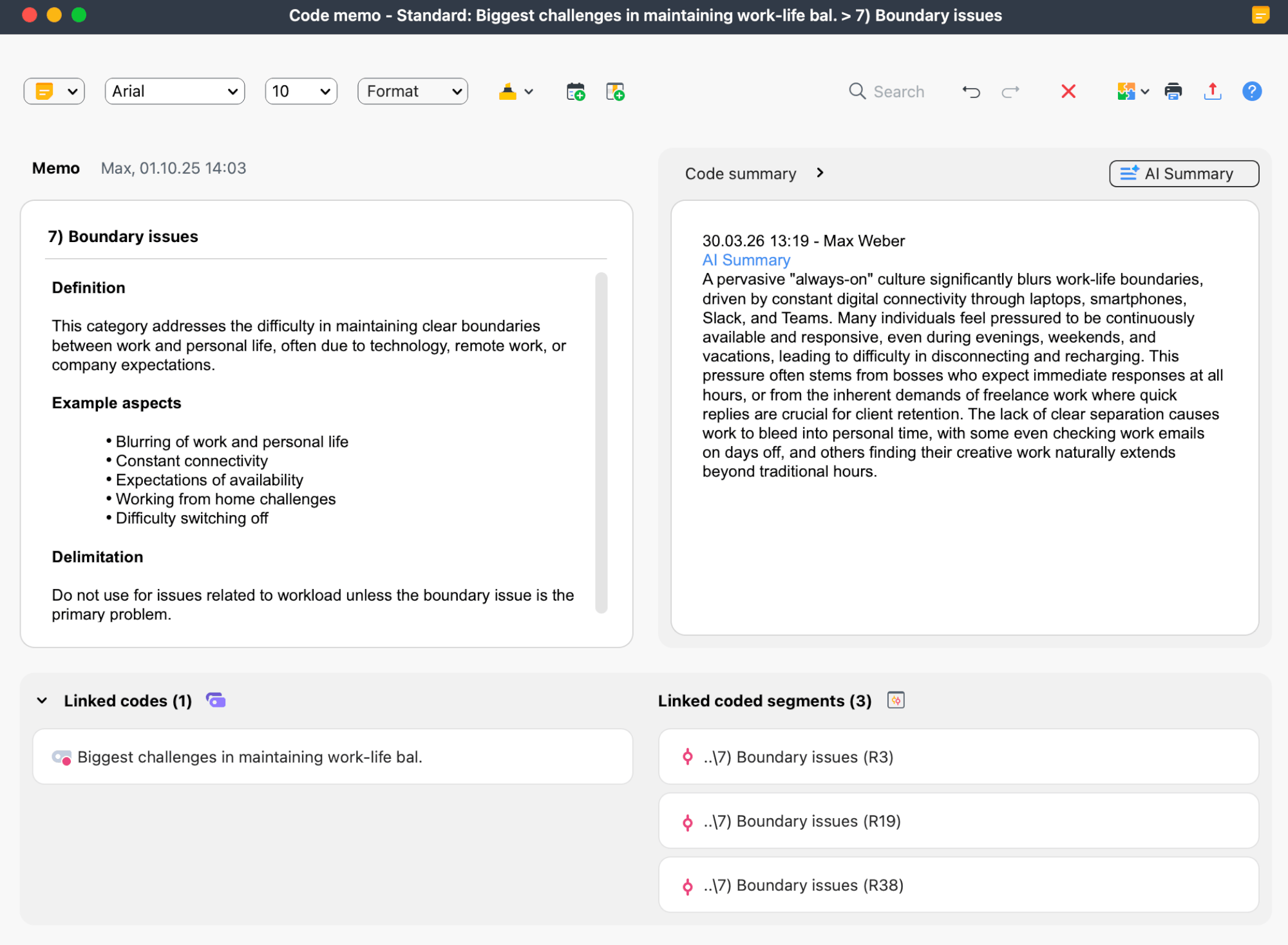
- Code memos: Definitions, anchor examples, or analytical notes about a code.
- Free memos: Notes not attached to any specific element of your project.
- Document set and code set memos: Notes about temporary groupings created for analysis.
In this chapter
- Creating and Writing Memos – Learn where to create different memo types, how to start writing in them, and how to continue working with them after creation.
- The Memo Manager – Browse and manage memos in a structured view, including sorting, filtering, and project-wide search.
- The Overview of Memos – Work with memos in a table-based overview for quick comparison, filtering, and navigation.
- The Logbook – Keep a chronological journal of your analytical work, with dated entries and tools for searching, formatting, and exporting notes.
Further resources
The difference between memos and coding comments in MAXQDA is explained in this research blog article: Memos, comments, paraphrases, and summaries.
