
AI Assist can generate summaries of text you have highlighted in the “Document Browser.” Summaries of selected text passages are saved in a new in-document memo assigned to the the original text.
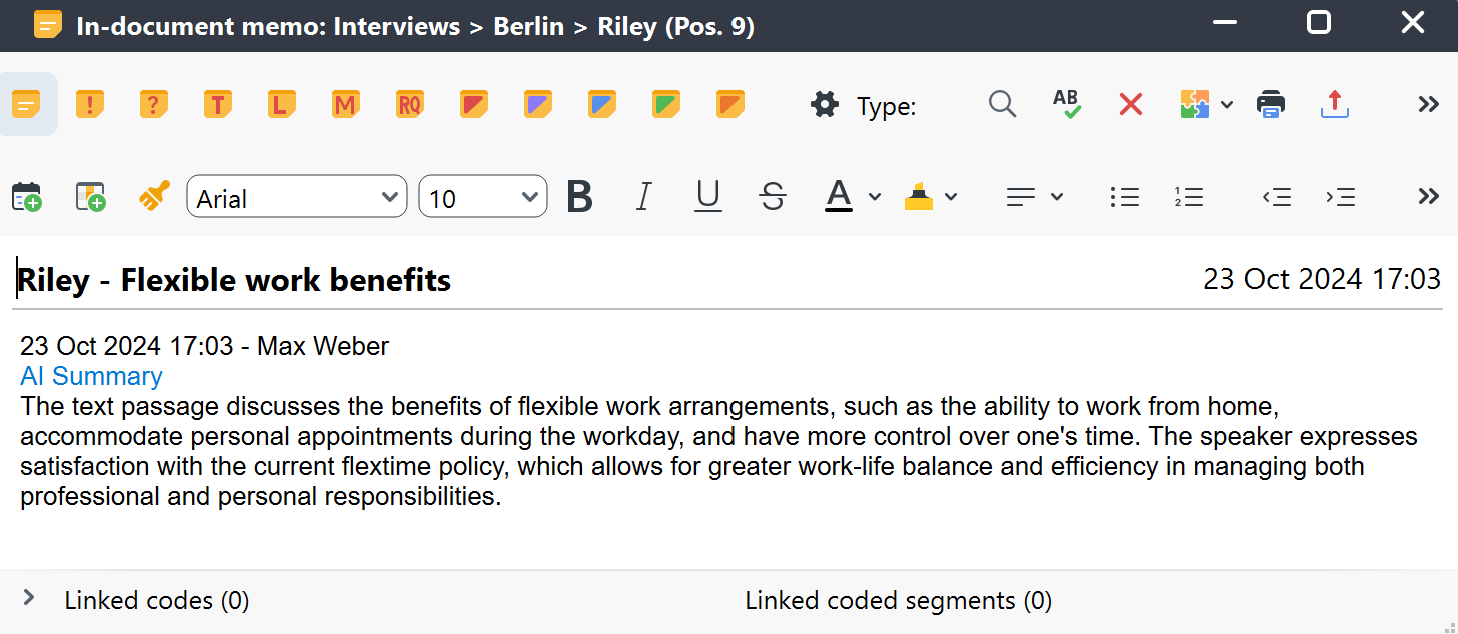
How to summarize selected text with AI Assist
You can access this function through various pathways. For example:
AI Assist's main menu
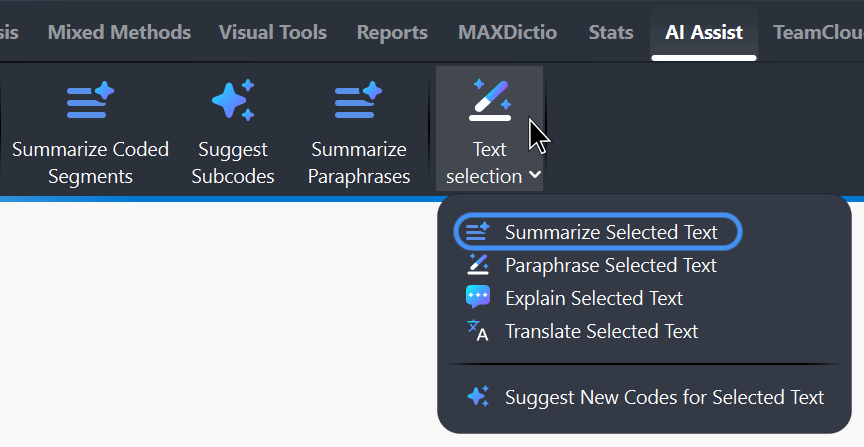
- In the "Document Browser," select the text passage you wish to summarize by highlighting it.
- Navigate to the main menu and select AI Assist > Text Selection > Summarize Selected Text.
The selected text's context menu
- In the "Document Browser," highlight and right-click on the text segment you wish to summarize.
- Choose AI Assist > Summarize Selected Text from the context menu.
The "Document Browser" toolbar
- In the "Document Browser," highlight the selected text passage.
- Navigate to the AI Assist menu by hovering over
 the respective icon in the toolbar.
 - Choose Summarize Selected Text.
 the respective icon in the toolbar.
Configure your AI summary preferences
Once you run the function, an AI Summary Preferences window will pop up. This window allows you to customize the summary according to your needs:
- Select summary language
- Adjust summary length by choosing between three options: short, medium, long
- If you would like to get a summary in bullet-point format, check the appropriate box
- You can also optionally add further instructions to customize AI Assist's summary
- Once you have configured your preferences, click the OK button.
Additional Instructions let you guide how AI Assist creates a summary.
For example, you can specify a structure such as:
Organize the summary into the following sections: 1…, 2…, 3…
AI Assist will attempt to follow these instructions. Any instructions you enter are saved in the in-document memo together with the generated summary, so you can review them later.
After a few moments, AI Assist creates and saves the summary in a new in-document memo. In the memo, you can edit and customize the AI-generated summary as needed.
- AI Assist provides very good results for very many use cases. Nevertheless, it is important that you check the results.
- If you analyze texts with critical content (violence, hate speech, bullying, etc.), summaries may not be created.
- Usually, you will receive the same or very similar summary for the same segments. However, it may happen that a summary is different from previous ones because the generative language model used provides dynamic results and because AI Assist is continuously optimized.
