
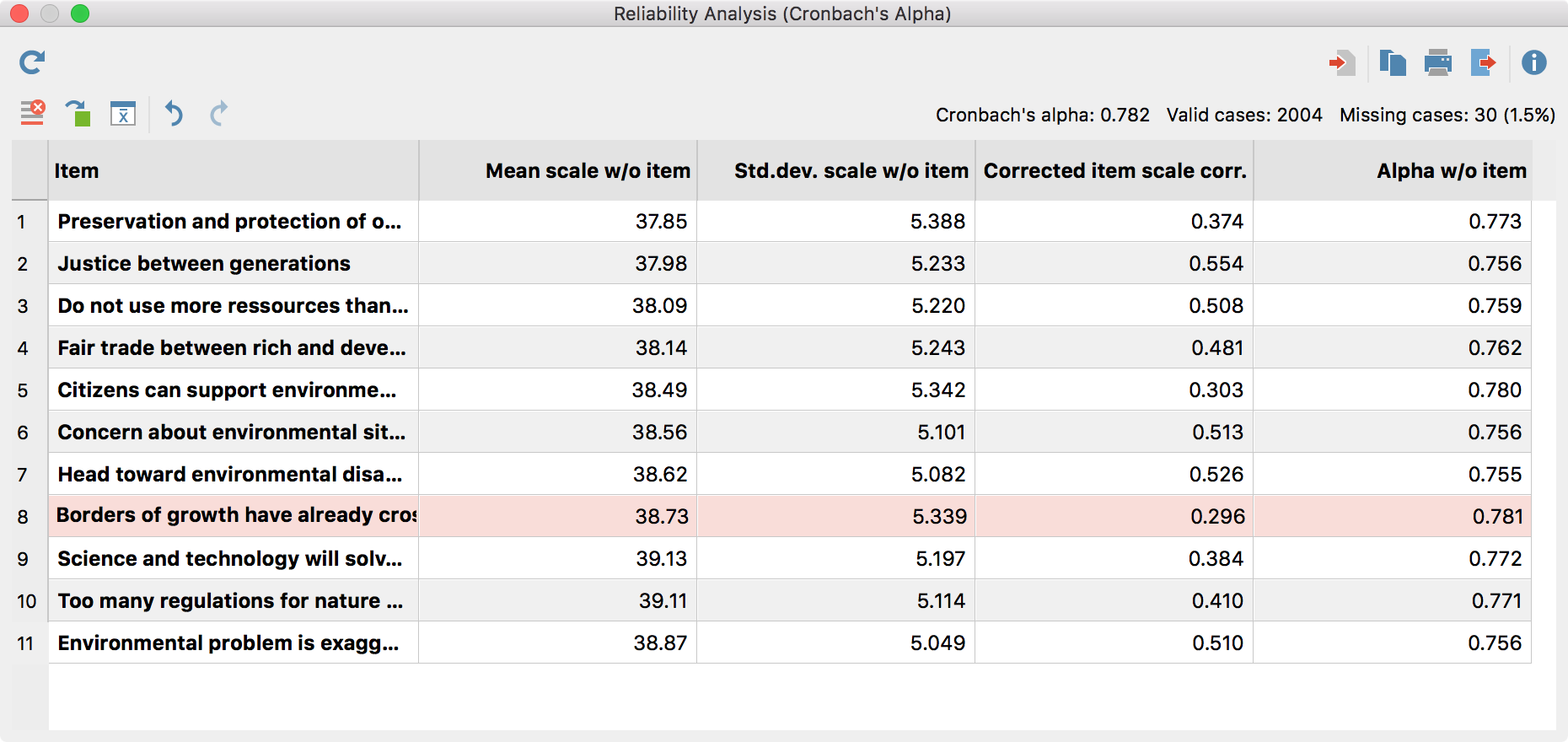
In MAXQDA Stats you can remove items from the scale, which leads to an immediate recalculation of all values:
- Click on an item (or several items by holding down Ctrl/cmd key) you wish to remove.
- Then click on the symbol
 Remove item from scale or right click on the highlighted rows and select Remove from the context menu.
 Remove item from scale or right click on the highlighted rows and select Remove from the context menu.
MAXQDA Stats updates the values in the table instantly.
To reintegrate a deleted item into the scale, you can click the Undo symbol  .
.
Hint: For calculating the results for the remaining items MAXQDA Stats practices list wise deletion for cases with missing values. Therefore, the number of missing values may decrease and more cases might be integrated into the calculation. As a consequence, the new value for Cronbach’s Alpha might be slightly lower than the original value displayed in the column “Alpha w/o item”.
