
Moving Codes
Changing the structure of the category system is not difficult. All codes can be moved with the mouse and the drag-and-drop function.
In the following example, the “Code System” contains four codes (C, B, A, and D).
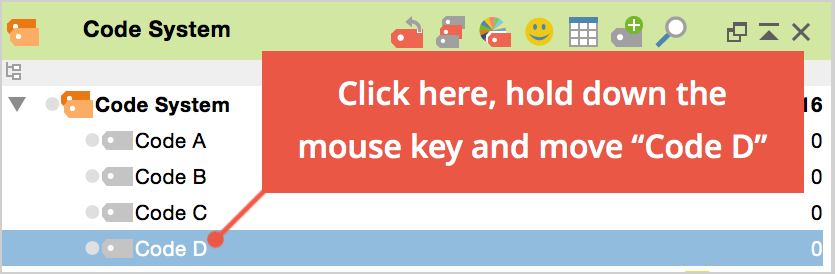
To move Code D to the top of the list, you would need to do the following:
Click on Code D and drag it in front of Code A while holding down the left mouse button, then, when a line appears, drop the code.
It is also easy to make a code a subcode of another code. If you want Code B to become a subcode of Code A, for example, you would carry out the following actions:
Click on Code B, drag it to Code A, and release as soon as Code A has a blue background. Code B is now a subcode of Code A.
Sorting Subcodes
Subcode can be sorted in ascending and descending order by name and by frequency, by right-clicking the parent code and selecting Sort subcodes from the context menu.
