
Some of these improvements apply only to the AI Assist add-on. Learn how to add it to your MAXQDA.
MAXQDA AI AsisstMAXQDA 26.4 helps you get more out of your data. You can now chat with your entire code system to surface patterns and connections you might have missed, code audio and video in a refined Media Player, and enjoy a number of AI Assist improvements that make it easier to trace, verify, and manage how AI will assist you.
Here’s what’s new in MAXQDA:
- Chat with your Code System: Ask questions about your codes and get answers grounded in your data.
- Media Player, Refined: A clearer interface and smoother clip interactions.
- AI Assist Improvements: A bundle of updates that make MAXQDA’s AI features easier to trace, verify, and manage.
- More Improvements: A batch of smaller fixes and refinements across the interface, tooltips, and licensing.
Chat with your Code System
AI that understands your research: Your code system captures your analytical structure, reflects your interpretations, and holds the key to uncovering patterns in your data. With MAXQDA 26.4, we’re bringing AI assistance directly into this core workspace.
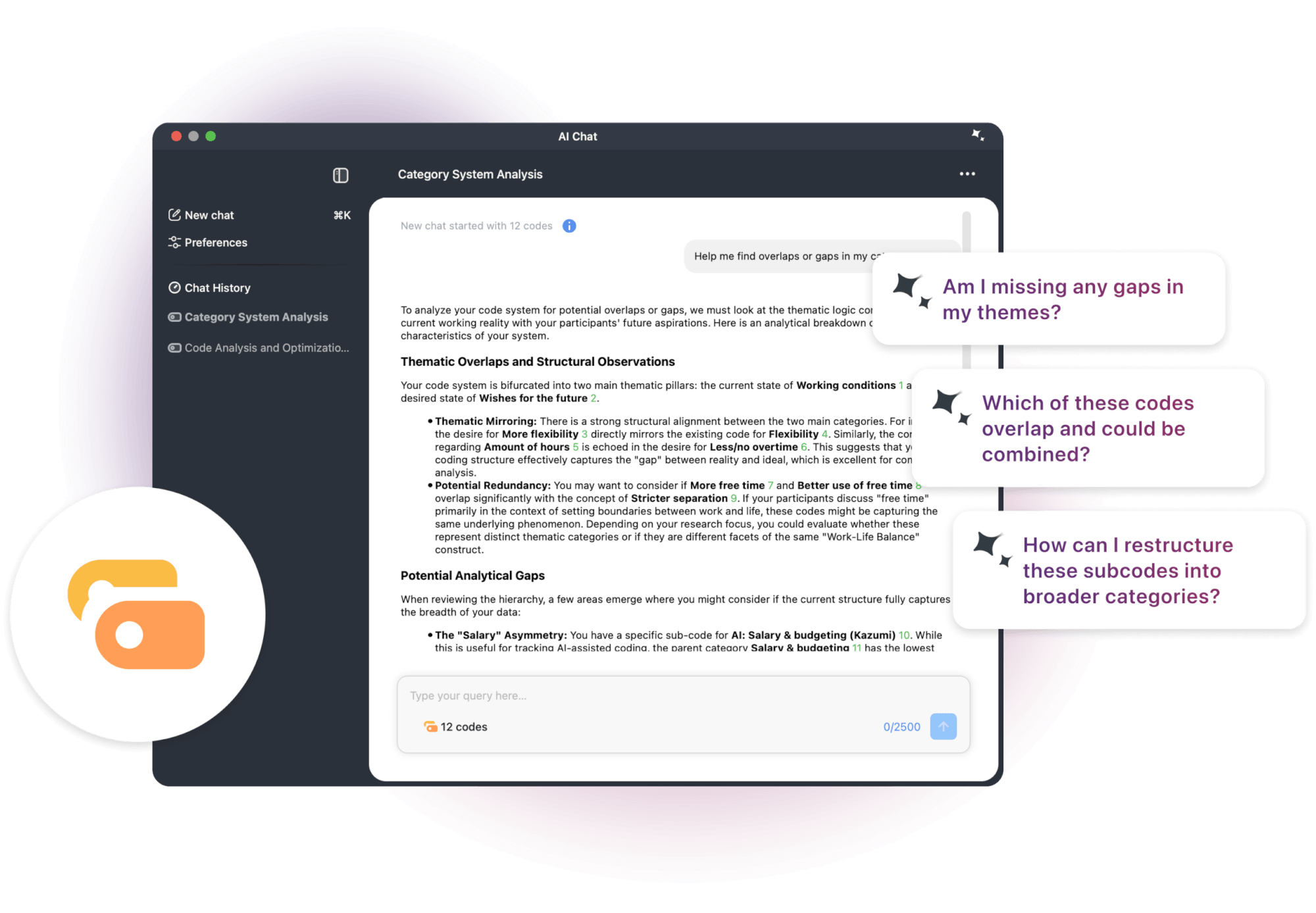
This new feature draws on the full context of your code system, including code names, hierarchies, code memos, and code frequencies. That means you can ask meaningful questions like “Which of my codes seem to overlap?”, “Are there themes I might be missing?”, or “How could I restructure these subcodes into broader categories?” and get meaningful answers grounded in your actual research.
Before starting a chat, you select which codes to include. It’s up to you whether you want to explore a subset of your data or receive help with the complete picture.
📍 Where to find it: AI Chat is now available everywhere in MAXQDA. Just click the new AI Chat icon in the bottom bar.
Media Player – Refined and Polished
The redesigned Media Player makes analyzing audio and video in MAXQDA feel clearer and faster. It has received a noticeable design and UX refresh, making it easier and more enjoyable to navigate media, create and adjust segments, and work with paraphrases.
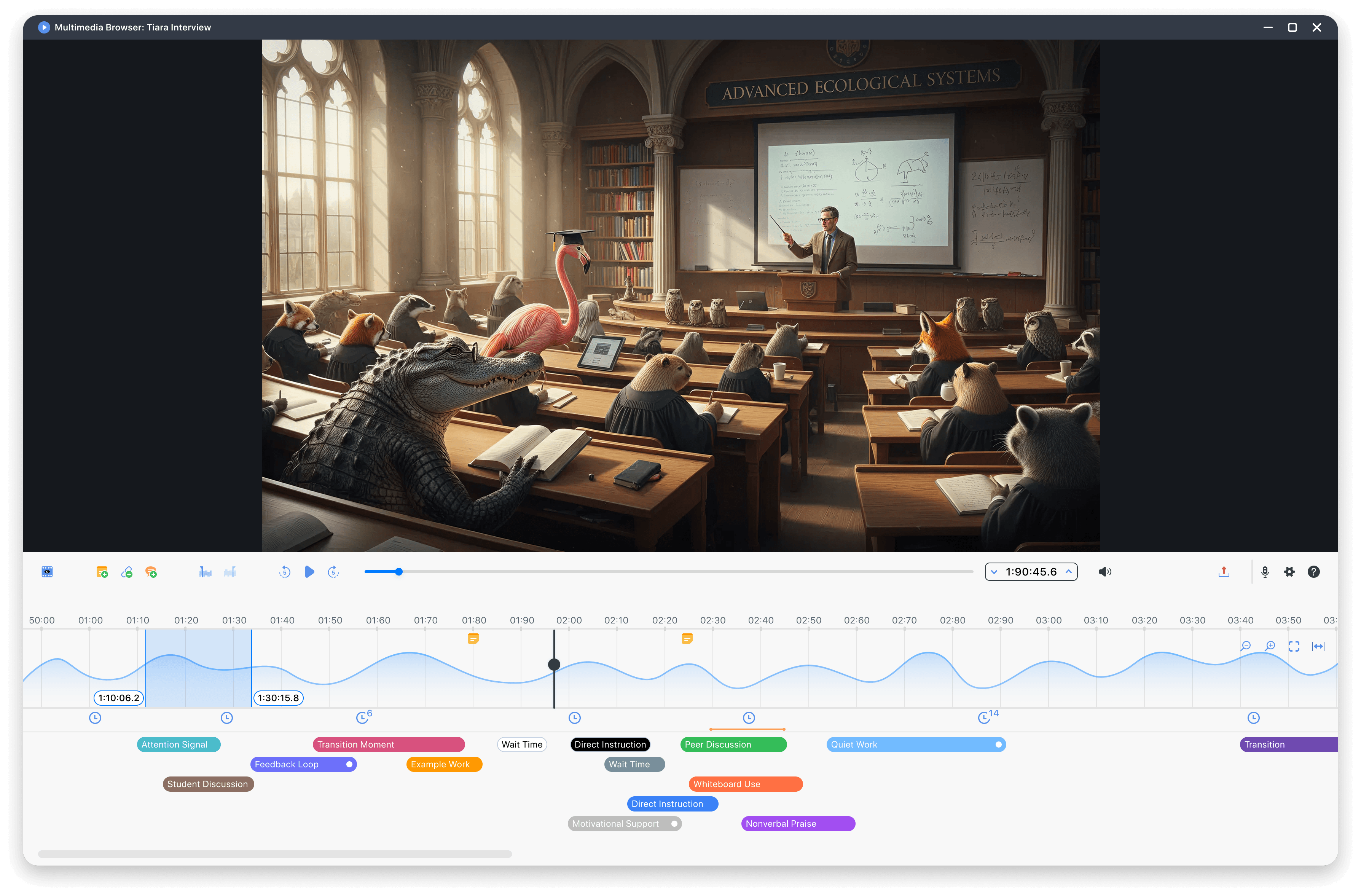
- Visual Structure: Updated coding stripe and waveform area, a decluttered toolbar, and a combined export menu. Minimum window sizes and improved behavior during resizing create a more stable and predictable experience.
- Clip Selection and Editing: New hover and selection feedback on clips in the waveform gives clearer cues when interacting with media clips. Modifying a coded segment now works exactly as it does in text documents. Clips only take on the color of their code when selected, avoiding overlapping colors and making the interaction much clearer.
- Coding Stripes: The coding stripe area scrolls more smoothly when many codings are present, and a new context menu gives quicker access to actions like editing or deleting a coding.
- Navigation: An improved video thumbnail loading along the timeline makes it much easier to find the right moment without scrubbing back and forth.
- Paraphrases: Paraphrases are now always visible and can be created at any point, without having to activate paraphrase mode first.
📍 Where to find it: Open an audio or video file in the media player, by clicking “Open in Media Player” in the document context menu or in the media playbar in an opened document.
AI Assist Improvements
- Suggest New Codes: When asking AI Assist to suggest new codes for a text selection, you can now add instructions to steer the response toward specific topics or formats.
- Suggest New Subcodes: Save a step in your workflow – new subcodes can now be sent straight to AI Coding to receive suggestions for where in your data to apply the new codes.
- Chat with the MAXQDA Manual: Ask questions about MAXQDA features directly in the AI Chat and get actionable answers on how a feature works or how to solve a problem.
- References in summaries: When summarizing a document, you can now include references that jump straight from the AI output back to the original source, making it easier to verify, quote, or continue your analysis.
- AI Chat History: Your chat history is now available offline, so you can revisit past conversations even without an internet connection.
- Token balance at a glance: Your AI token usage is now visible in the new Account menu. Simply click on your avatar to check your remaining balance at any time.
Further Improvements
Transcription
- Automatic transcription now accepts video files larger than 1 GB, as long as the extracted audio track stays under 1 GB.
QTT
- Sending a Visual Tools output to a QTT worksheet now includes the complete visualization, not just the visible portion.
UI/UX Improvements
- Memos, comments, and paraphrases in the document sidebar have received a visual refresh.
- The light mode / dark mode switcher has moved from the bottom toolbar into the general MAXQDA preferences.
- The date and time picker has a fresh new calendar design.
- The coding stripe filter in the Document Browser has a new “All users” option, and removing a user-based filter is now clearer.
- Clicking an internal link in a document now opens the linked passage in a new tab, so you don’t lose your place.
- In the External Files dialog it is now easier to view and open the location where an external file is stored.
- The New Code dialog has an updated UI with placeholder labels and clearer expand/collapse controls.
- The dialog that starts a new TeamCloud project has an updated UI with clearer labeling and information about available space.
Tooltips
- The memo tooltip now includes the content of the summary section.
- The code tooltip now shows how many documents, document groups, and document sets a code has been applied to.
- The document group/set tooltip now shows how many elements the group contains.
Licensing & Administration
- You can now switch to a different MAXQDA license directly within the program, without deactivating your current license first.
- Admins can roll out MAXQDA installations with the “stay logged in” option removed from the interface, to prevent users staying logged in on public or shared computers.
What This Update Means for Your Work
By bringing AI assistance into your code system, MAXQDA 26.4 keeps you close to both your data and the way you have structured your thinking. As your research evolves, MAXQDA evolves with it.