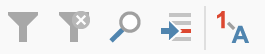
The toolbar is located above the Data Editor on the left side.
Toolbar on the left side of the Data Editor
Using the icon Show value labels
 the entered value of
the value label will be displayed. This value can be individually defined for
each variable in the Variable List. If no label is defined for a value, the
value will still be displayed.
the entered value of
the value label will be displayed. This value can be individually defined for
each variable in the Variable List. If no label is defined for a value, the
value will still be displayed.