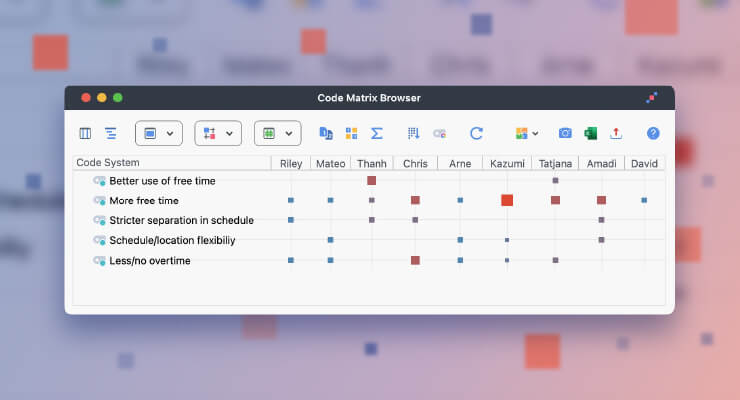
MAXDictio has undergone a major revision and now comes with a range of new and improved functions. They will not only enhance your options for performing quantitative content analysis, but will also be a strong heuristic tool helping you to explore your data, revealing what language your interviewees are using, and thus opening up new insights into your data set.
Before we present the list of all 22 new features – here are the five most important innovations:
A clearer arrangement: The categories of a dictionary may now be organized like MAXQDA’s ‘Code System’ with several hierarchical levels and a visual presentation like in Windows Explorer.
Easier researcher control of the dictionary: Words in the word frequency list may now be inserted into dictionaries as search terms via double-click or drag-and-drop.
Live connection to the data set: The results table of the Coder is now interactive, which means that you can see text segments that have been coded with the dictionary in the original text with just one click.
Integrating the category frequencies into MAXQDA’s attribute table: The category frequencies of the Dictio Coder, meaning the data on often a category has been coded in a text, may be saved permanently in MAXQDA’s matrix of attributes. A new attribute type with the source data “MAXDictio” will be available there.
More options for focused analysis: The function “Word Frequencies” now allows you to conduct analyses differentiated by text sets and single-selected texts.
Innovations in the Dictionary Function
Faster access: The dictionary dialog window has been equipped with a tool bar allowing for quick and easy access to all functions.
Enhanced options for differentiation: Dictionaries are now organized like MAXQDA’s Code System, so you will have the opportunity to distinguish between different levels (main- and sub-categories). A main category named “Countries” could, for example, have sub-categories like “Europe”, “Asia”, “Africa”, “America”, and “Australia”. Under “Europe”, one could then establish sub-categories, such as “France”, “Italy”, “Germany”, etc.
Faster creation of categories: A new category or sub-category in the dictionary can now be created with a single click.
Export of a code book: The entire dictionary can now be exported as an RTF file for documentation purposes. That way you will receive a complete code book.
New view: In dictionaries you may switch between two views, just like in MAXQDA’s Code System: the hierarchical tree structure, which is arranged like Windows Explorer, and the tabular view which resembles an Excel table.
Flexible dictionaries: Within dictionaries you can now reorganize categories and move sub-categories in between main categories via drag-and-drop at any time.
New Functions for Search Items
Wild cards: Search items may now contain, similar to in the search functions of MAXQDA, the wild card symbols “?” and “*”.
Easy transfer of search items: Search items can be transferred from the word frequency list into the focused category or sub-category of the dictionary via double click or drag-and-drop.
Flexible dictionary: Search items may be moved from one category to another within a dictionary via drag-and-drop.
New in the Function “Word Frequency“
More options: When selecting this function, a new dialog box will appear, allowing you to select the following options:
a) Minimal number of characters required for a word to be counted
b) Apply stop-list, yes or no (checkbox)
c) Selection of the stop-list from the recently-used stop-lists in the project
d) Include only activated texts in the word frequency analysis
e) Count out only the words of coded segments (in the Retrieved Segments window)
f) Optional: differentiate the word frequencies list by texts and by text sets
Flexible selection for coding context: The automatic coding of the finding places of particular words in the word frequency list now offers you more options for a flexible selection: you may separately define how many paragraphs before and how many paragraph after the hit should be coded.
Enhanced search for words: The function “Word Frequencies for Dictionary Words” has been changed so that the results table will also include search items that consist of several words (e.g. “George Clooney”, “Angela Merkel”, etc.)
New Features of the Coder
Quicker access: The Coder is now accessible through a button in the MAXDictio symbol bar, which allows for faster dictionary-based content analysis.
More options: As soon as the “Coder” has been selected, a dialog box with the following options will appear:
a) “only for active texts” and b) “Level” (0 bis 9)
„Level = 0“ means – just like in the current MAXdictio version – that the entire text will be defined as the unit of analysis. Choosing a level greater than “0” includes only the coded segments of selected codes into the coding process; that means only these segments are subject to being searched for the indicated search items. At levels greater than “0” the faded-out light-grey codes listed in the dialog box become accessible, and any of them may be selected to be included into the analysis.
Interactive maxtrix of results: The results matrix of the Coder is now interactive in a similar way to the MAXQDA search functions, listing the coded segments in a table from where you may jump directly to the context of the segment.
Convert into attribute: If the option “Level 0“ has been choosen, it is possible to convert the frequency of categories into attributes of the MAXQDA matrix of attributes.
The frequency of categories becomes an attribute type: The category frequencies have been introduced as a new type of attribute in the attribute function of MAXQDA. For faster recognition they have been equipped with their own color: yellow. After having been transformated into an attribute, the category frequencies will still keep their name. If, for example, a category of the dictionary is named “Legal Aspects” this will also become the attribute name. The column “Legal Aspects” will then list, for every text in the Document System, how often this category occurs in the respective text. The transformation process is started by clicking the corresponding icon in the toolbar of the table “Results of MAXDictio Coder”. This attribute type can not be updated by importing a matrix of attributes.
You are currently viewing a placeholder content from Facebook. To access the actual content, click the button below. Please note that doing so will share data with third-party providers.
You are currently viewing a placeholder content from TikTok. To access the actual content, click the button below. Please note that doing so will share data with third-party providers.